How to Choose the Best WordPress Hosting Service
Key Takeaways
|
Most articles on this topic are really just ranked lists with a few paragraphs about “what to look for” bolted on before the affiliate links start. That is useful if you already know what shared, managed, and VPS hosting even mean. It is less useful if you do not, since the ranking only tells you who won, not why the criteria matter or which ones actually apply to your site.
My this post works through the decision itself. By the end, the goal is not a single recommended host, it is a framework you can point at any hosting plan, including ones that do not exist yet, and get a straight answer on whether it fits.
What Actually Makes a Hosting Service Good for WordPress?
A good WordPress host does five things well at the same time. Most hosts are strong on one or two of these and quiet about the rest, which is exactly why comparing them by price alone misses what actually matters.
- Speed. Server response time (TTFB), server side caching, and physical server location relative to your visitors.
- Uptime. Not just the advertised percentage, but how it is measured and whether you get anything if the host misses it.
- Security. Free SSL, malware scanning, a firewall, and backups that actually restore, not just exist.
- Support. Real WordPress knowledge on the other end of the chat, not a generic hosting script.
- Room to grow. What happens, and what it costs, the day your traffic doubles.
What Are the Different Types of WordPress Hosting?
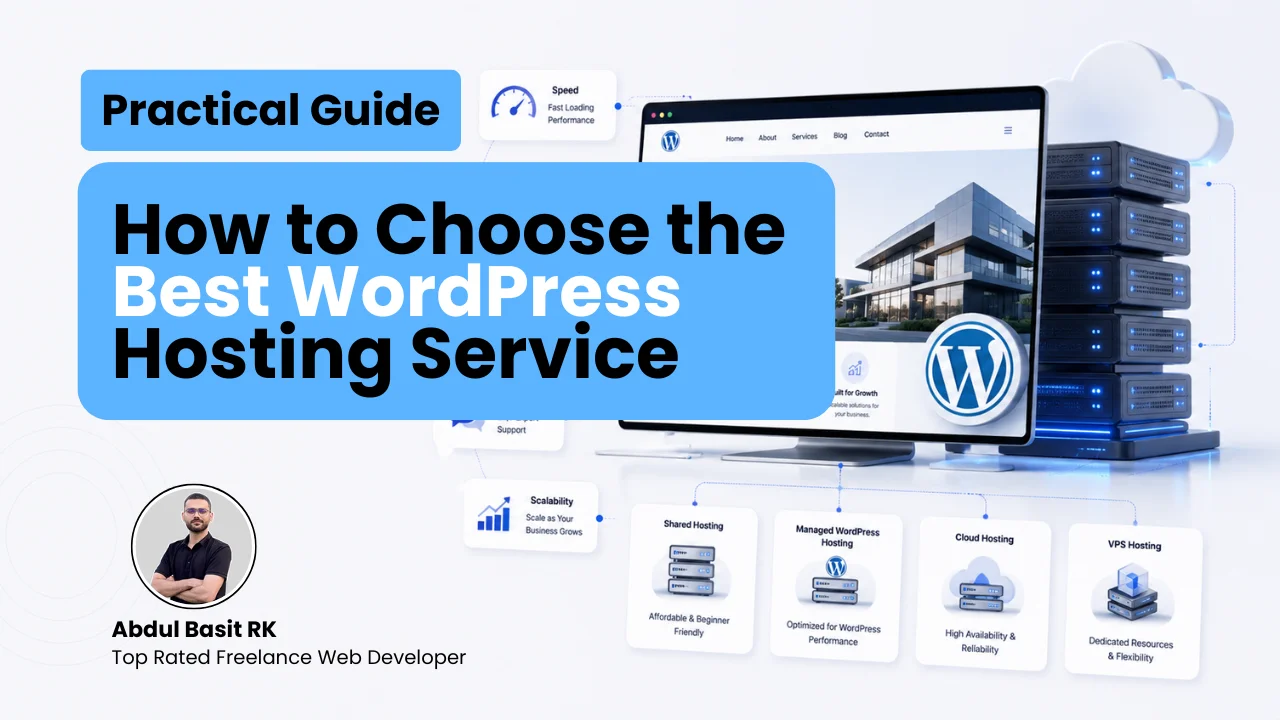
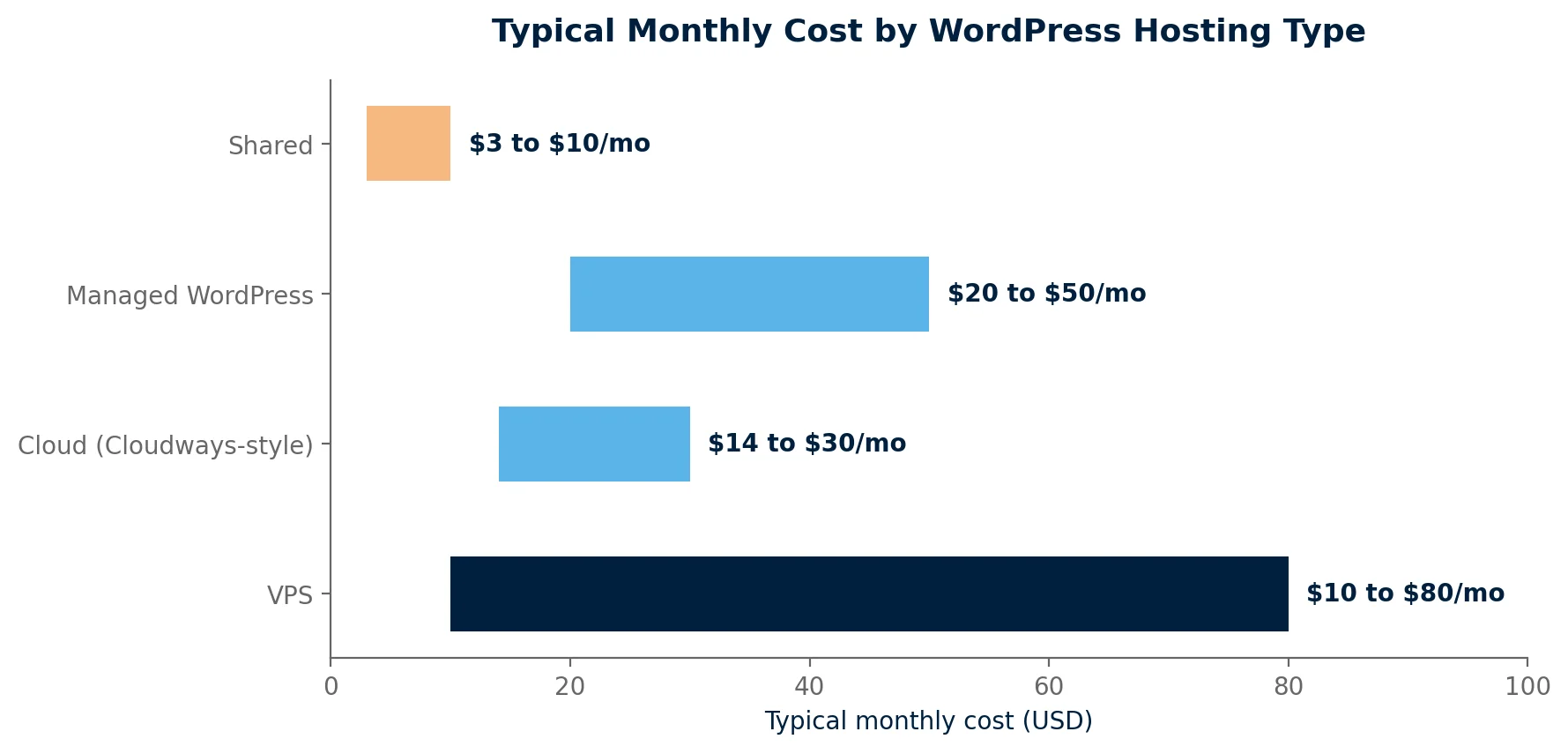
Every hosting plan on the market is a variation on four basic models. Understanding which one you are actually buying matters more than which brand name is on the invoice.
| Type | What it actually means | Typical cost | Best for | Real tradeoff |
|---|---|---|---|---|
| Shared | Your site sits on a server with hundreds of others, splitting the same CPU and memory | $3 to $10/mo | Small blogs, portfolios, early stage sites | Performance drops when a neighboring site spikes in traffic |
| Managed WordPress | A host tuned specifically for WordPress, with server level caching, staging, and automatic core updates handled for you | $20 to $50/mo | Business sites, stores, anyone who wants hosting to be one less thing to manage | You pay for the hand holding whether you use it or not |
| Cloud (Cloudways style) | You rent cloud infrastructure (DigitalOcean, AWS, Google Cloud) through a management layer that handles the server side | $14 to $30/mo | Technically comfortable owners who want cloud performance without raw server admin | No phone support in most cases, and scaling costs can surprise you |
| VPS | A dedicated slice of a server that is yours alone, with root access | $10 to $80/mo | Developers and agencies who want full control and know what to do with it | You are responsible for server security and configuration unless it is managed VPS |
How Much Uptime Guarantee Do You Actually Need?
Every host advertises an uptime percentage, and almost every percentage looks fine at a glance. The difference between them is not fine at all once you convert it into actual downtime.
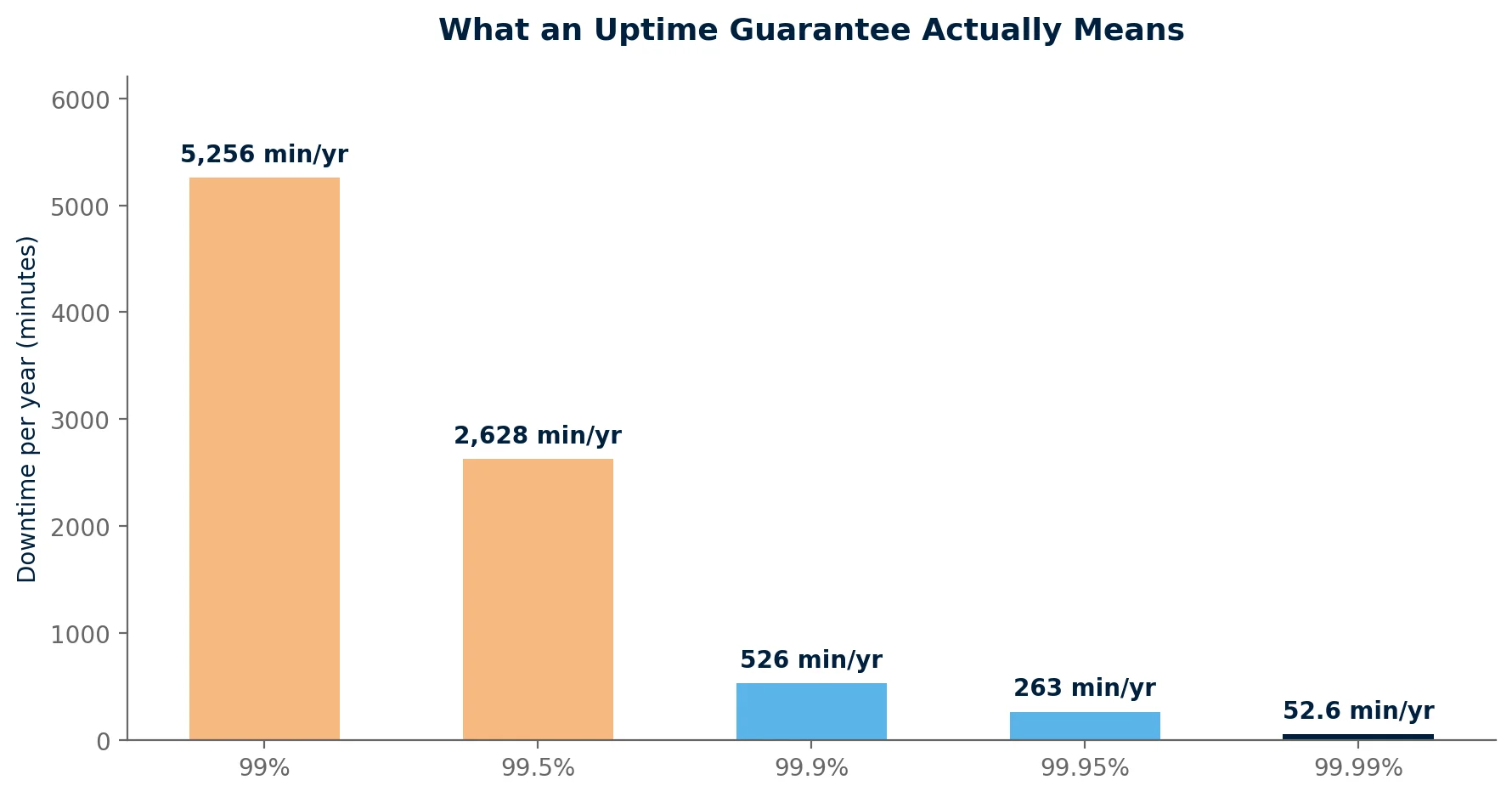
99.9 percent is the practical baseline worth holding a host to. It works out to about 8.8 hours of downtime a year, which covers routine maintenance windows without becoming a real business problem. A host advertising 99.99 percent is not necessarily lying, but for a small or mid sized site the difference between 99.9 and 99.99 is about 43 minutes a year, rarely worth paying a premium for on its own.
- Ask how uptime is measured. Some hosts only count full outages. Others count any response slower than a set threshold as downtime, which is a stricter and more honest standard.
- Ask what you get if they miss it. A guarantee with no service credit attached is a marketing claim, not a commitment.
Does Your Host Actually Affect WordPress Speed and SEO?
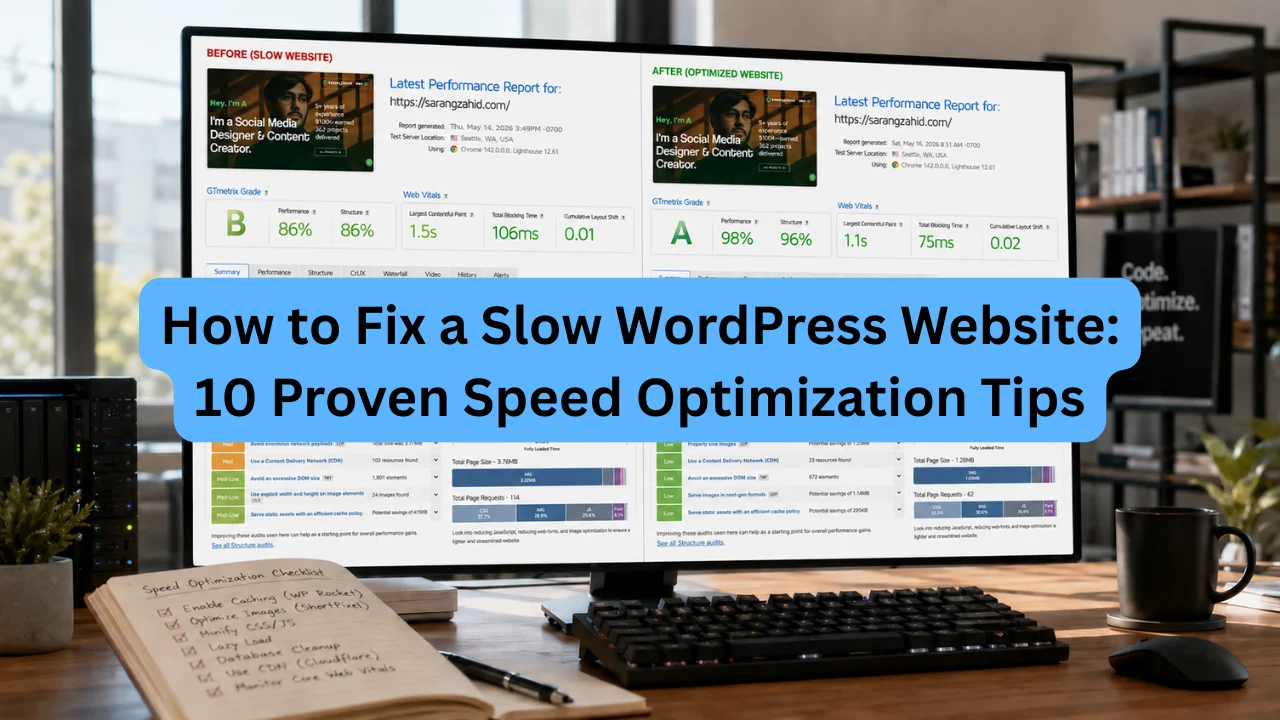
Yes, more directly than most other decisions you will make about the site. Server response time (TTFB) sets the floor for how fast every page can possibly load, and no amount of plugin optimization fixes a server that is slow to respond in the first place. abdulbasitrk.com’s guide on how to speed up a WordPress website covers the rest of the speed picture, caching, image optimization, and CDN setup, once the hosting foundation is solid.
Google uses page speed and Core Web Vitals as a ranking factor, so a slow host is quietly working against any SEO effort elsewhere on the site. Server location matters too. A host with data centers near your actual audience will consistently outperform a cheaper host on the other side of the planet, regardless of what either one advertises.
Will Switching Hosts Hurt My Rankings?
Not by itself. Moving the same site, same content, same URLs to a different server is neutral to Google. The rankings drops that do happen after a migration almost always trace back to broken redirects, DNS misconfiguration, missing SSL, or extended downtime during the switch, not to the server change itself. A same domain host migration that is handled correctly typically shows any fluctuation settling within one to two weeks.
What Security Features Should WordPress Hosting Include?
- Free SSL certificate, issued and renewed automatically. Paying extra for this in 2026 is a sign to look elsewhere.
- A web application firewall, filtering malicious traffic before it reaches WordPress itself.
- Malware scanning, ideally automatic and daily, not something you have to trigger manually.
- Automatic backups, stored off the same server, with a restore process you can actually test before you need it.
- A staging environment, so plugin updates and theme changes can be tested somewhere that is not the live site.
How Do You Know If a Host Is Genuinely WordPress Optimized?
“Optimized for WordPress” appears on almost every hosting page in some form. A short list of concrete checks separates the hosts that mean it from the ones that just added the phrase to their homepage.
- Server level caching, not just a recommendation to install a caching plugin yourself.
- Choice of PHP version, with the ability to update it without opening a support ticket.
- One click staging, not a manual process involving FTP and a second database.
- WP-CLI or SSH access, even if a specific site does not need it yet, its absence signals a generic host wearing a WordPress label.
- Resource limits stated in real numbers, visits, storage, and inodes, rather than vague terms like “unlimited” that turn out to have a fair use policy buried in the terms of service.
What Questions Should You Ask Before Buying WordPress Hosting?
- What is the refund window, and does it apply to the full term or just the first month?
- Does the host handle migration for you, or is that entirely on you to figure out?
- How often are backups taken, how long are they kept, and can you restore one yourself without contacting support?
- What are the actual resource limits, visits per month, storage, and inodes, behind any “unlimited” claim?
- What support channels exist, and what is the realistic response time, not the number printed on the pricing page?
- What happens, and what does it cost, if traffic spikes past the plan’s normal range for a day?
When Should You Upgrade From Shared to Managed Hosting?
- The site starts loading noticeably slower during traffic spikes, even though nothing about the site itself changed.
- Support keeps pointing to “contact your hosting provider” for issues that are clearly server side, not WordPress side.
- The site is now generating real revenue, and an hour of downtime has an actual cost attached to it.
- Core and plugin updates have started breaking things, which usually means the server environment is older or more generic than the site now needs.
How Do You Switch WordPress Hosting Without Losing Rankings?
- Back up the entire site, files and database, before touching anything.
- Set up the new host and install WordPress there first, without pointing the domain at it yet.
- Migrate the database and files using a tool built for this, then test the site on a temporary URL or staging link.
- Check SSL, permalinks, and any hardcoded URLs before going live, since these are where migrations most often break quietly.
- Switch DNS, then monitor Google Search Console for a couple of weeks for crawl errors or unexpected drops.
Done carefully, this is a routine technical task. Done carelessly, it is one of the more common ways a healthy site loses weeks of search visibility for reasons that had nothing to do with the new host itself. If planning and executing a migration is not something you want to take on solo, that falls under standard WordPress development services, the same category as ongoing maintenance and performance work.
Frequently Asked Questions
Is cheap WordPress hosting actually worth it?
For a small blog or early stage site with light traffic, yes. Shared hosting at $3 to $10 a month is a reasonable place to start. The moment the site earns real traffic or handles transactions, the resource limits on cheap shared plans usually become the bottleneck, and the cost of slow load times or downtime starts to outweigh what was saved on hosting.
Do I need managed WordPress hosting?
Not always. Managed hosting earns its higher price when you want server level caching, one click staging, and automatic core updates handled for you. A technically comfortable owner running a low traffic site can often get similar results from a well configured cloud or shared plan for less.
What uptime percentage should I look for?
99.9 percent is a reasonable practical baseline, working out to roughly 8.8 hours of downtime a year. Anything below 99 percent, over 5,000 minutes of downtime a year, is worth avoiding for any site that matters to a business.
Will moving to a new host hurt my SEO?
Not by itself. The ranking drops people associate with hosting migrations almost always come from broken redirects, DNS mistakes, or extended downtime during the switch, not from the server change itself. A carefully executed same domain migration typically shows rankings stabilizing within one to two weeks.
How do I know if my current host is the problem?
Run a page speed test and check your Time to First Byte specifically. A TTFB consistently above 600 to 800 milliseconds, measured with a caching plugin already active, points to the server itself rather than something fixable with more WordPress side optimization.
About the Author
Abdul Basit RK, Freelance WordPress Developer
Abdul Basit RK is a freelance WordPress developer with over 7 years of experience building fast, scalable, conversion focused websites. He helps businesses evaluate hosting, migrate sites safely, and keep WordPress running fast without the guesswork.