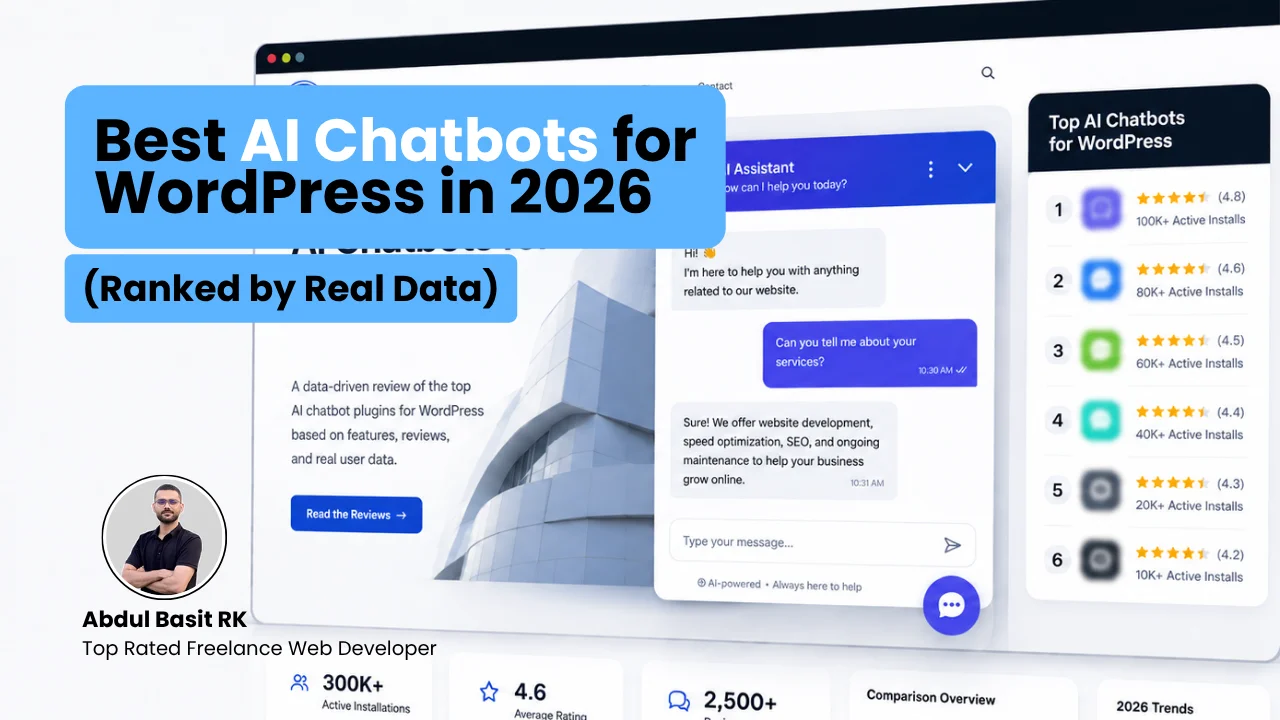
Best AI Chatbots for WordPress in 2026 (Ranked by Real Data)
Key Takeaways
|
Most lists of the best AI chatbots for WordPress are written by a company that makes one of the chatbots on the list. That is not always a reason to distrust the content, but it is a reason to read the ranking with the writer’s incentive in mind.
My this post works differently in two ways. First, every install count and rating below is checked against WordPress.org directly, then cross referenced against G2, Capterra, and Trustpilot where those exist, rather than repeating a number from someone else’s roundup. Second, this is not a ranking built to sell a chatbot. It is built to help you pick one, and to be honest about where the data runs out.
What Makes a WordPress Chatbot Good in 2026?
A good WordPress chatbot in 2026 trains on your own content instead of running a script someone typed by hand. That single feature, called retrieval augmented generation or RAG, is the line between a modern chatbot and a 2021 era rule based bot wearing an AI label.
- Trains on your content. The bot should read your pages, posts, and product data and answer from them, not just from the AI model’s general knowledge.
- Lets you choose, or at least know, the AI model. Some plugins let you pick between OpenAI, Claude, and Gemini. Others manage the model for you. Neither is wrong, but you should know which one you are getting.
- Handles WooCommerce if you sell anything. Order status, cart contents, and product recommendations should come from live store data, not a script.
- Does not wreck page speed. A chat widget is still JavaScript loading on every page. A bloated one can hurt Core Web Vitals, which is a ranking factor.
Which AI Chatbot Has the Most WordPress Installs?
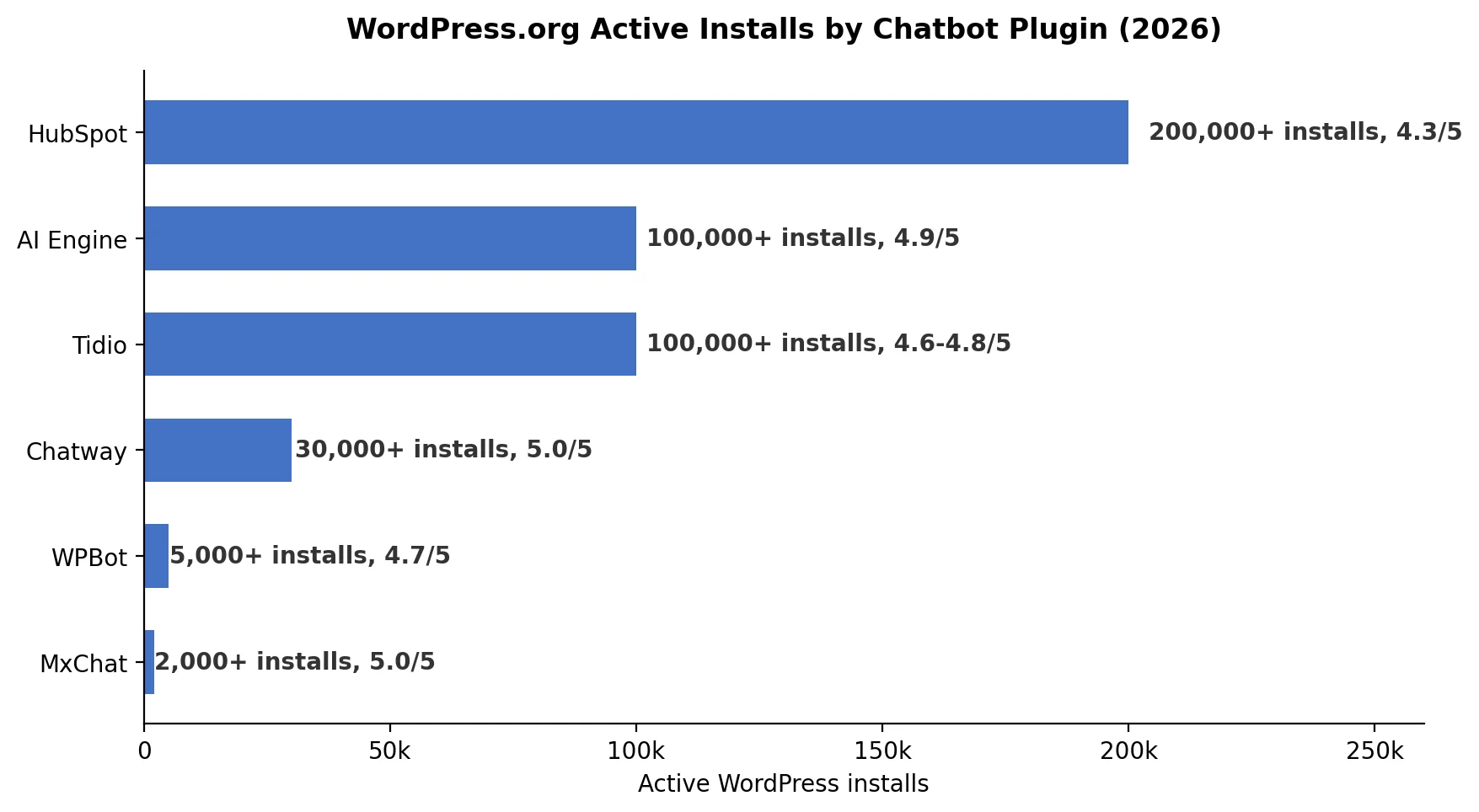
Active install counts, pulled directly from the WordPress.org plugin repository, are the number most comparison posts skip in favor of a polished screenshot. They are also one of the harder numbers to fake, since they come from WordPress itself rather than the vendor’s own marketing page.
How Do WordPress.org Ratings Compare to G2, Capterra, and Trustpilot?
This is the table most of these roundups never build, because most of them are written by one of the vendors in it. A WordPress.org rating tells you what people who installed the plugin think. G2 and Capterra skew toward people evaluating a purchase. Trustpilot skews toward people who had a strong reaction, usually a complaint. Reading all four side by side tells you more than any one of them alone.
| Tool | Active installs | WordPress.org | G2 | Capterra |
|---|---|---|---|---|
| AI Engine | 100,000+ | 4.9/5 (851+ reviews) | Not listed | Not listed |
| HubSpot | 200,000+ | 4.3/5 (approx. 150 to 207 reviews, growing) | Listed elsewhere, not checked for this post | Not checked |
| Tidio | 100,000+ | 4.6 to 4.8/5, varies by date checked | 4.6/5 (1,879 reviews) | 4.7/5 (590 reviews) |
| Chatway | 30,000+ | 5.0/5 (744 reviews)* | Not checked | Not checked |
| WPBot | 5,000+ | 4.7/5 (122 reviews) | Not listed | Not listed |
| MxChat | 2,000+ | 5.0/5 (29 reviews)* | Not checked | Not checked |
Trustpilot: Tidio 4.0/5. No other tool on this list has a confirmed Trustpilot presence.
Chatway and MxChat figures were sourced via Tidio’s own 2026 WordPress chatbot comparison, which states its numbers come from the WordPress.org repository. They were not independently re checked on WordPress.org for this post, so treat them as a starting point rather than a confirmed figure.
| Correcting a figure from an earlier draft of this post: Tidio’s own install count needed a second look. Tidio’s July 2026 blog post states 80,000 plus active installs, but that number does not match WordPress.org’s actual display, which groups installs into rounded tiers. A direct check of Tidio’s WordPress.org listing, cross referenced against an independent plugin data site (instawp.com), shows Tidio at 100,000 plus installs, the same tier as AI Engine. Separately, Tidio’s own marketing pages state it is used by over 300,000 businesses. That is a real number, but it is a company wide customer count across every platform Tidio supports, not a WordPress.org install count, and at least one other comparison site appears to have mixed the two up. The 100,000 plus figure used in this post is the one that reflects WordPress.org specifically. |
The 6 Best AI Chatbots for WordPress, Reviewed
AI Engine: Best for Developers Who Want Model Choice
AI Engine is the best option if you want control over which AI model answers your visitors and do not mind pasting in an API key. It connects to OpenAI, Claude, Gemini, Mistral, and more through your own account, and according to its WordPress.org listing, it is the most installed chatbot plugin on WordPress.org at over 100,000 active installs with a 4.9 out of 5 rating.
- Best for: developers and agencies who want to choose the model and control token costs directly.
- Pricing: free core plugin. Pro pricing is reported inconsistently across sources, from around $59 a year to roughly $100 a year, so check meowapps.com’s pricing page directly before budgeting. AI provider token costs apply on top and are billed separately by whichever provider you connect.
- Honest limitation: the free version runs a working chatbot, but real content training through embeddings is a Pro feature. Free here means a basic bot, not a bot trained on your content.
HubSpot: Best for Teams Already Using a Free CRM
HubSpot has more active WordPress installs than any other chatbot on this list, over 200,000, largely because it is bundled with a genuinely free CRM rather than being a standalone chatbot product. This install count is confirmed directly on the plugin’s own WordPress.org listing, and independently corroborated by a third party WordPress integration guide reporting the same install tier.
- Best for: businesses that want a free CRM, live chat, and a chatbot builder in one place, and do not need the bot to train on their own content.
- Pricing: the chatbot builder itself is free for up to two users. Removing HubSpot branding and unlocking AI assisted responses requires a paid Marketing Hub seat starting around $20 a month.
- Honest limitation: this is a flow based chatbot by default, not one that trains on your website content the way AI Engine or Tidio’s Lyro AI does. Open ended questions outside a built flow will hit a fallback path.
Tidio: Best All Around Hosted Option
Tidio is the easiest way to add a real AI agent to WordPress without touching an API key. Its Lyro AI trains on your content and, according to Tidio’s own published figures, resolves up to 67 percent of support conversations without human help. It has 100,000 plus active WordPress installs, confirmed directly on its WordPress.org listing and corroborated by an independent plugin data aggregator, correcting the 80,000 figure Tidio’s own blog currently states, see the note above.
- Best for: WooCommerce stores and small teams that want a hosted, no code AI agent with live chat built in.
- Pricing: a genuine free plan exists with 50 conversations a month. Paid plans start around $24 to $29 a month, and the Lyro AI add on starts separately at roughly $32 to $39 a month.
- Honest limitation: the free plan’s Lyro AI conversations are a one time allotment rather than a monthly renewal, so an active site will need a paid Lyro plan quickly. This is also the tool with the widest gap between its review platform score and its Trustpilot score, covered above.
Chatway: Best Review Score, Pay Only for What Resolves
Chatway shows the highest review score of any tool in this comparison, a perfect 5.0 out of 5 across a reported 744 WordPress.org reviews per Tidio’s research (see the sourcing note above), with 30,000 plus installs confirmed directly on its WordPress.org listing. Its pricing model is unusual: instead of a flat AI fee, it charges $0.50 per conversation the bot actually resolves, with the first 10 free each month.
- Best for: low to moderate volume sites that want to pay only when the AI actually helps a visitor, not a flat fee regardless of usage.
- Pricing: free forever for one seat with unlimited conversations and 30 days of chat history. The Solo paid plan runs around $24 to $29 a month depending on the source, and AI resolutions are billed separately at $0.50 each. Confirm the current figure directly on Chatway’s pricing page, since sources disagree here.
- Honest limitation: Chatway does not publicly name which AI model powers its responses, so unlike AI Engine or WPBot, there is no way to choose or verify the underlying model.
WPBot: Best Budget Option With Real Content Training
WPBot is the cheapest option in this comparison that still offers genuine retrieval augmented generation. It builds a knowledge base from your pages, PDFs, and product data, then answers using whichever AI provider you connect, and holds a 4.7 out of 5 rating across 122 reviews on its WordPress.org listing.
- Best for: budget conscious sites that still want real content trained AI rather than a rule based script.
- Pricing: a free Lite version exists. Starter is $39 a year, and WooCommerce support requires the $99 a year Professional tier. A $149 one time lifetime license is also available.
- Honest limitation: the install base is small next to AI Engine’s, at just over 5,000, and the settings screen is dense enough that it rewards some technical comfort.
MxChat: Best for a One Time Price
MxChat is the pick for anyone who dislikes recurring subscriptions. It carries a perfect 5.0 out of 5 rating, though from a much smaller pool of reviews than the larger tools here, confirmed at 2,000 plus active installs directly on its WordPress.org developer profile, and its Pro license is a one time payment rather than a monthly or yearly fee.
- Best for: WooCommerce stores that want strong product trained AI without adding another monthly bill.
- Pricing: a free Basic version is available on WordPress.org. Pro is a one time $69.97 per the vendor’s own site, though at least one comparison source cites $59, so confirm directly at mxchat.ai before quoting either figure. You still pay your own AI provider for token usage.
- Honest limitation: the smallest install base and review count in this comparison, so its track record is real but next to the more established options.
Which WordPress Chatbot Is Actually Free?
Free means very different things across these six tools. Some run a genuinely useful bot forever. Others hand you a plugin shell and expect you to bring your own AI provider account. Here is what each one really includes.
| Tool | Free tier | What is actually included | What requires upgrading |
|---|---|---|---|
| AI Engine | Yes | A working basic chatbot | Content training through embeddings, knowledge base, AI forms |
| HubSpot | Yes | Chatbot builder and live chat for 2 users, no time limit | AI assisted responses, branding removal |
| Tidio | Yes | 50 conversations a month plus a one time Lyro AI allotment | Lyro AI conversations do not renew monthly on the free plan |
| Chatway | Yes, forever | Unlimited conversations, 1 seat, 30 day chat history | AI resolutions are $0.50 each after the first 10 free |
| WPBot | Yes (Lite) | A working rule based chatbot | Real RAG training and WooCommerce need paid tiers |
| MxChat | Yes (Basic) | A working AI chatbot using your own API key | Multi source training and full WooCommerce integration |
Does Adding a Chatbot Slow Down a WordPress Site?
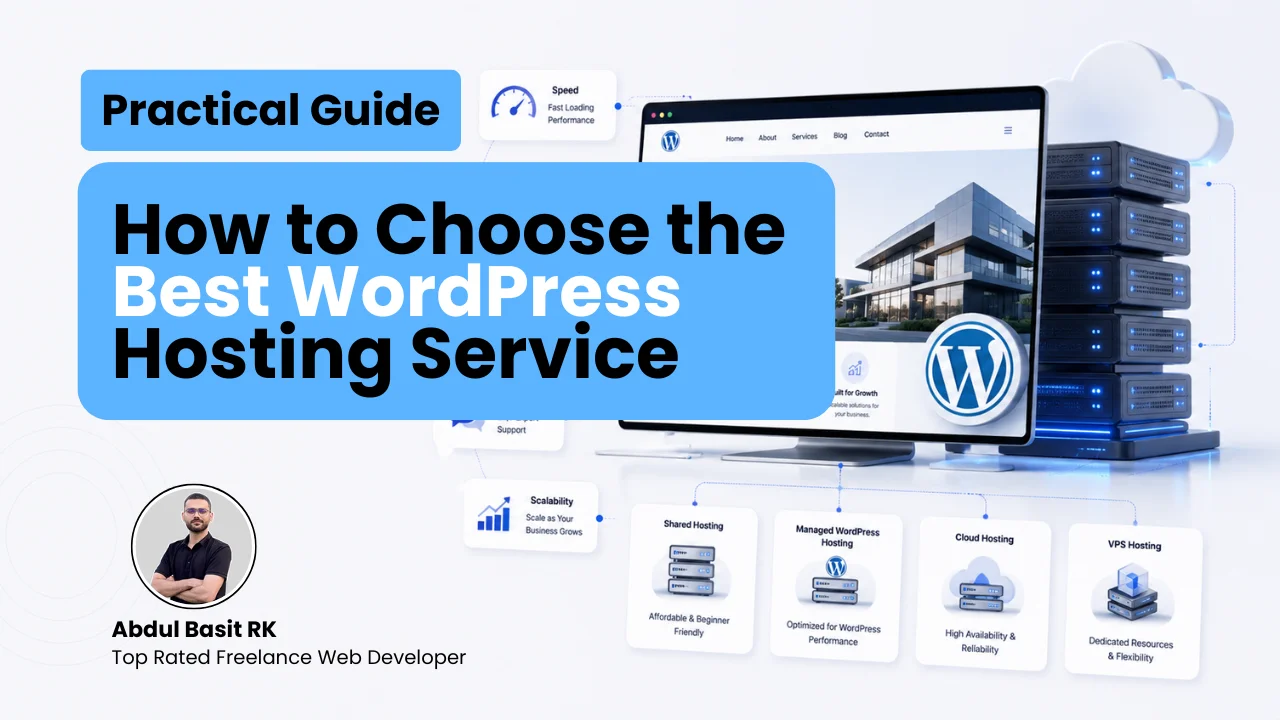
It can. Every chat widget loads JavaScript on every page, and a heavy one can measurably affect Core Web Vitals, which Google does use as a ranking signal. Server side plugins like WPBot avoid an external script call entirely, while hosted widgets like Tidio and Chatway load asynchronously but still add some payload. abdulbasitrk.com’s guide on how to speed up a WordPress website specifically flags third party scripts, including chat widgets, as one of the more common hidden causes of a slow site. Test your PageSpeed score before and after installing any chatbot, not just once at launch.
How Do You Add an AI Chatbot to a WordPress Site?
Installation takes about five minutes for any of the six tools above, and follows one of two patterns.
- 1. Plugin based tools (AI Engine, WPBot, Tidio, HubSpot, Chatway, MxChat): go to Plugins, then Add New in your WordPress dashboard, search for the plugin by name, click Install, then Activate.
- 2. Connect the AI: for bring your own key plugins, paste in your OpenAI, Claude, or Gemini API key in the plugin’s settings. For hosted tools, log in or create an account from the plugin’s setup screen instead.
- 3. Train it on your content: point the plugin at your site’s pages, posts, or product catalog, or upload documents directly, depending on the tool.
- 4. Test with a handful of real questions before turning the widget on for live visitors, and check your page speed score afterward.
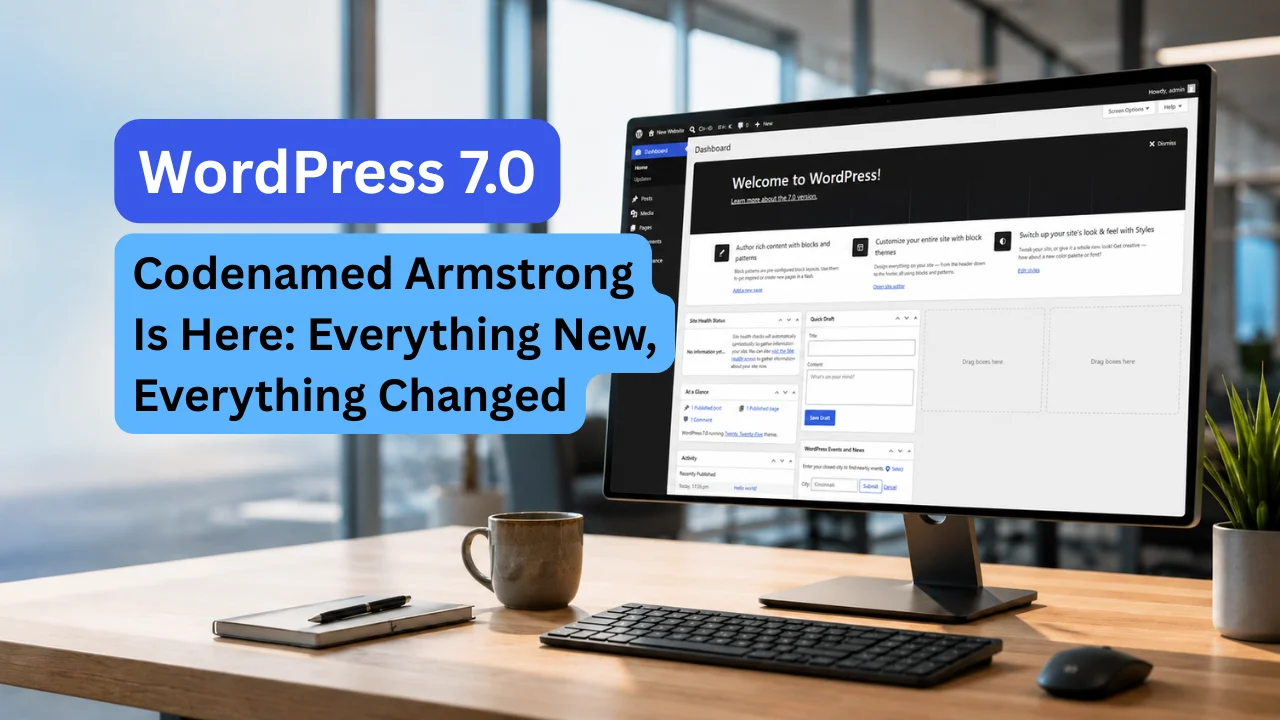
WordPress 7.0, codenamed Armstrong, added native AI infrastructure to WordPress core itself, which is part of why bring your own key plugins like AI Engine and WPBot have grown. abdulbasitrk.com covered what changed in the WordPress 7.0 Armstrong features guide.
If choosing, training, and integrating the right chatbot for a specific site is not something you want to figure out alone, that work falls under standard WordPress development services, the same category as plugin setup, custom integration, and ongoing maintenance.
Which WordPress Chatbot Should You Actually Choose?
- Running a WooCommerce store: Tidio or MxChat, since both read live product and order data. Tidio if a subscription is fine, MxChat if a one time price matters more.
- A developer or agency managing several sites: AI Engine, for model flexibility and the largest track record among bring your own key plugins.
- Already using HubSpot’s free CRM: stick with HubSpot’s chatbot rather than adding a second tool, and accept that it will not train on your content the way the others do.
- Tight budget, comfortable with an API key: WPBot, for the cheapest real content trained AI in this comparison.
- Want to pay only for what works: Chatway’s per resolution pricing suits low to moderate volume sites well.
Frequently Asked Questions
What is the best free AI chatbot for WordPress?
Chatway is free forever for one seat with unlimited conversations, which makes it the most generous free tier in this comparison. If content trained AI matters more than live chat features, WPBot’s free Lite version is the better starting point, as long as adding your own API key is not a dealbreaker.
Does WordPress have a chatbot built in?
No. WordPress core does not include a chatbot, though WordPress 7.0 did add native AI infrastructure that plugins like AI Engine and WPBot build on. A chatbot itself still has to be added through a plugin.
Will an AI chatbot slow down my WordPress site?
It can, since chat widgets load JavaScript on every page. Server side tools like WPBot avoid this almost entirely. Hosted widgets load asynchronously but still add some payload, so checking PageSpeed Insights before and after installation is worth the two minutes it takes.
Can a WordPress chatbot use ChatGPT or Claude?
Yes, with AI Engine, WPBot, and MxChat, all of which let you connect OpenAI’s ChatGPT or Anthropic’s Claude through your own API key. Hosted tools like Tidio and Chatway choose and manage the underlying model for you instead.
Which WordPress chatbot works best with WooCommerce?
Tidio and MxChat both read live cart, order, and product data rather than answering from a static script. WPBot supports WooCommerce as well, but only on its $99 a year Professional tier.
About the Author
Abdul Basit RK, Freelance WordPress Developer
Abdul Basit RK is a freelance Web developer with over 7 years of experience building fast, scalable, conversion focused websites. He helps businesses choose and integrate the right tools for their site, including AI chatbots, without the guesswork, and provides ongoing WordPress development and maintenance support.